
Why color and gradient generators matter
Inconsistent color breaks trust in analytics dashboards and customer-facing portals. Hand-picking hex values across charts, tables, and buttons is slow and error-prone. Generator tools give you harmonious scales, accessible pairings, and production CSS in seconds.
What generator tools help you do
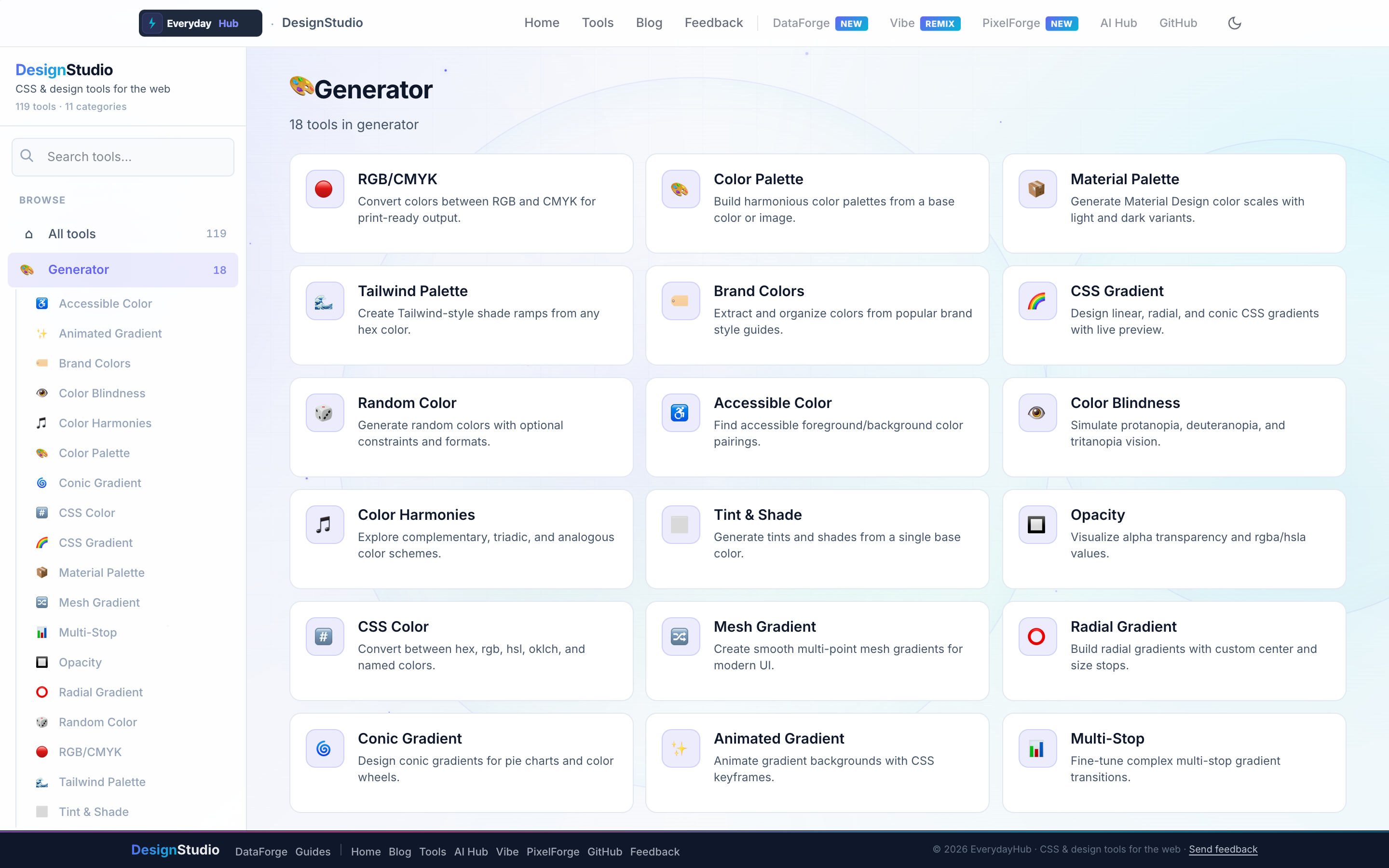
DesignStudio's Generator category includes eighteen tools for every color workflow — from RGB/CMYK conversion to animated mesh gradients.
- Color Palette — harmonies from a seed color
- CSS Gradient, Radial, Conic, Mesh & Animated Gradient
- Material Palette & Tailwind Palette shade ramps
- Brand Colors, Color Harmonies, Tint & Shade
- Accessible Color, Color Blindness simulator, WCAG-friendly pairings
- CSS Color converter (hex, rgb, hsl, oklch)
On-screen workflow
Open any generator from the sidebar under Generator. Adjust sliders, swatches, or gradient stops and watch the preview update instantly. The code panel shows copy-ready CSS variables or gradient declarations — no account gate, no export watermark.
Enterprise data & analytics use cases
Define a chart color palette that matches corporate brand guidelines before wiring DataForge visualizations or internal BI embeds. Generate semantic colors (success, warning, danger) with contrast-checked text colors for KPI cards. Export Tailwind or CSS custom properties so data engineering and front-end teams share one token file across report UIs.
Privacy-first design work
Every DesignStudio tool runs client-side in your browser. Palettes, SVG markup, and exported images never upload to a server — the same privacy model as DataForge. No account, no tracking, no watermarks on exports.
Related guides
Open Generators in DesignStudio
Open DesignStudio from EverydayHub — free, private, and ready in one click.
Open Generators in DesignStudio